
Already a customer? Support: (855) 982-9466Mon – Fri · 8:00am – 6:00pm PTSales: (855) 982-9466

Axion AI Team · New in Axion

Build your virtual team.

An Axion AI Team Member answers your calls 24/7, sends texts, books appointments, and handles the routine requests that pull your staff off their higher-value work—a module you add to your Axion account. Axion trains it on your business, connects it to your systems, tests it before launch, and keeps coaching it. You never have to become an AI engineer.

Step 1 of 2

What’s slowing your business down?

Select all that apply, and we’ll help you build your AI Team. No sign-up needed to see it.

Phones & missed calls
Front desk & scheduling
Billing & customer support
Leads & operations
AI setup & concerns
Please don’t include names or other personal information.
0 selected

The phone doesn’t stop ringing because your team is busy.

Many small teams run on the same math: the people who answer the phone are the same people doing everything else. Calls ring out during a rush. Voicemails pile up after hours. A caller who is ready to schedule a service and can’t connect with you will probably call your competitor.

Axion’s answer is an AI Team Member that Axion trains, connects, tests, and coaches for you, added to the Axion account your calls already come through.

A trained virtual team member. Not an AI tool to configure.

A smiling receptionist wearing a headset and answering a call at a bright reception desk

Answers every call, 24/7

Inbound calls answered around the clock, and transferred to your staff through your call routing when a person is needed.

Trained on your business

Your hours, services, policies, and FAQs—taught by Axion before launch, updated as your business changes. It answers the way you want callers answered.

The roles you choose

Reception, scheduling, customer service, billing, technical support, sales, dispatch, after-hours, and inbound surveys. One AI Team Member can carry several roles when that can be done reliably.

Does the task

Books, changes, and cancels appointments. Sends texts. Creates tickets. Captures leads and opportunities. Looks up account and billing status through the systems it’s connected to.

Connected to what you already run

Calendar, CRM, ticketing, and billing connections through approved integrations and API/webhook workflows, on plans that include them, scoped in the needs analysis.

A record of the calls it handles

Messages, transcripts, and summaries for the calls it handles, so your team sees what was said and what was done.

Start with one role. Add more as you find the work.

Each AI Team Member is trained for the roles your business needs. Many businesses start with one versatile agent; as responsibilities broaden, Axion will recommend a second AI Team Member only when a role needs its own specialized knowledge.

Reception

Answer calls, identify the need, answer FAQs, route calls, take messages.

Customer Service

Account and service questions, policy answers, status requests, escalation.

Scheduling

Book, change, or cancel appointments; answer scheduling questions.

Billing

Billing FAQs, balance and status lookups, payment links, route disputes.

Technical Support

Tier-1 troubleshooting, knowledge-base answers, ticket creation, escalation.

Sales

Qualify callers, answer product questions, capture opportunities, schedule sales calls.

Dispatch

Capture service need, location, and urgency; create the dispatch request; escalate emergencies.

After-Hours

Handle routine calls after hours; sort routine from urgent calls, take messages, escalate to on-call staff.

Feedback & Survey

Run structured surveys when a person or another agent transfers the caller after the primary interaction.

Custom Role

Designed around a workflow specific to your business.

We set it up and manage it. You use it.

1

Needs analysis

An Axion service coordinator walks through which calls your team handles today, which ones the AI Team Member should take, and what it needs to connect to.

2

Training and connection

Axion technicians train the agent on your business and connect it to your call routing and approved applications—calendar, CRM, ticketing, billing.

3

Testing and launch

The agent is tested before it takes a live call. Then it goes live on your account.

4

Review and coaching

On plans that include performance reviews, an Axion team member reviews call volume, top call reasons, transfers, unanswered questions, and knowledge gaps—then updates the agent, so its performance gets better over time.

A smiling Axion customer-support specialist wearing a headset at his laptop

It keeps getting better, and that’s our job.

An Axion AI Team Member is a managed service backed by Axion’s customer-service organization, not a self-service AI builder. Routine adjustments to how it answers and what it knows are part of the service.

On plans that include them, performance reviews come to you proactively. Each one covers call volume and conversation hours, primary call reasons, transfers and avoidable escalations, unanswered or weakly answered questions, knowledge gaps and outdated training, tasks that could be automated next, whether additional roles fit the current agent, whether a specialized second agent would improve performance, and the coaching changes agreed for the next period.

And as more capable AI models and best practices arrive, Axion applies them. Your AI Team Member improves over time without a rebuild.

Measured in work done.

You see what your AI Team Member handled, in numbers your team already understands.

Managers reviewing printed call charts together
Calls handledThe workload absorbed by your virtual team member.
Conversation hoursUsage translated into productive capacity.
Resolved without transferHow much it handled on its own.
Transfers and escalationsWhere a person was still needed.
Messages, appointments, tickets, payment linksCompleted tasks, by role.
After-hours calls handledCoverage you would otherwise miss.
Top call reasonsWhere to train next, and what to automate next.

Anyone whose team answers the phone and does everything else.

A front-desk receptionist wearing a headset and a colleague smiling beside him at a modern practice

Practices and clinics

Let the AI Team Member take the routine calls—hours, directions, appointment requests, message requests, after-hours triage—so the front desk stays with the patients and clients in front of them. Trained on your policies, connected to your calendar, and transferring to staff whenever a caller needs one.

A smiling service-business owner holding a tablet beside a work van

Service businesses and multi-location teams

Dispatch, after-hours coverage, and scheduling across locations, answered consistently. Capture the service need, the location, and the urgency, create the request, and escalate emergencies to on-call staff.

Two business partners shaking hands in a bright modern office

Managed service providers and channel partners

Refer Axion AI Team to the clients you work with—trained, connected, tested, and coached by Axion, not added to your ticket queue.

Frequently asked questions

Want to Learn More?
What can one AI Team Member do?

Several roles. Many businesses begin with one versatile AI Team Member and add roles over time. Axion recommends a second one only when a role needs its own specialized knowledge.

Is it a replacement for my front desk?

No. It’s built to take the routine calls and tasks so your team can spend its time on the ones that need a person. When a caller needs a human, the AI Team Member transfers them.

Do I have to set it up myself?

No. Axion’s technicians and service coordinators run the needs analysis, train the agent on your business, connect it to your systems, and test it before launch. You never need to become an AI engineer.

What does it connect to?

Your Axion call routing and transfers on every plan, plus calendar, CRM, ticketing, and billing connections through approved integrations and API/webhook workflows on plans that include them. Integrations are scoped in the needs analysis.

Can it send and receive text messages?

Yes. Texting requires an SMS-enabled number on your account. A send-only AI Team Member can share the main company number your team already uses; one that sends and receives needs a dedicated number. We’ll scope that in the needs analysis.

Can it run surveys?

Yes. A person or another AI Team Member transfers the caller to the Survey role after the main conversation, and it runs a structured survey. Outbound survey calling is not offered today.

What happens after launch?

On plans that include performance reviews, an Axion team member reviews the agent’s performance and reaches out with what it handled, where it struggled, and what to train or automate next. Routine coaching changes are part of the service.

Is it HIPAA compliant?

Yes. Axion has a Business Associate Agreement (BAA) in place with the provider behind Axion AI Team, and a BAA is available to clients.

Start with one.

Tell us which calls your team handles today and which ones an AI Team Member could take, and a rep will follow up.

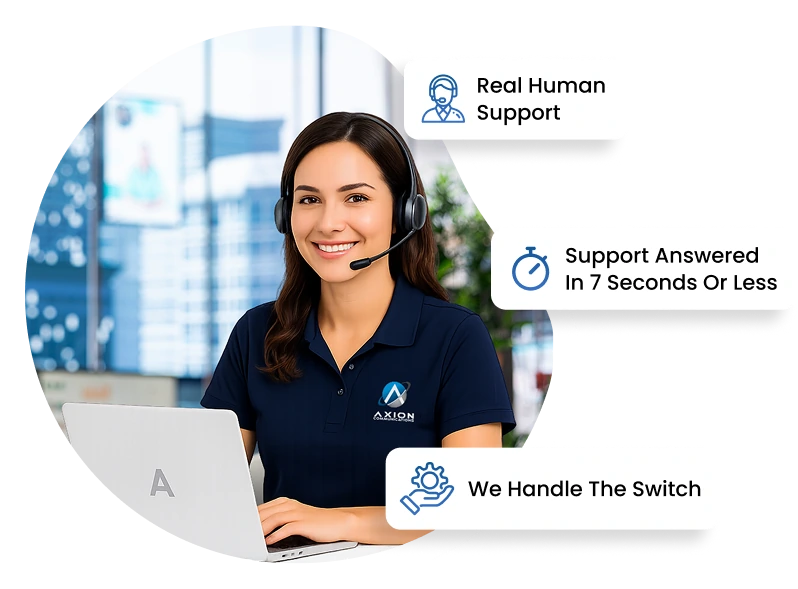
An Axion support specialist with a headset at her laptop: real human support, answered in 7 seconds on average

"*" indicates required fields

This field is for validation purposes and should be left unchanged.
Auto Opt-in